
The activity itself
Learning goals, setup, materials, timing and a clear facilitation sequence, created around the class and resources you have.
Crew 08 · SproutKrew by wGrow
AI Activity Creation Studio
for Early Childhood Educators
Turn a teaching intention into a complete classroom experience. SproutKrew creates the activity, the pictures, the printables, the videos and the rules—while educators decide what children actually use.
Creation, all the way through
A usable activity needs resources that agree with one another. The crew builds the plan and its supporting materials from the same brief.
Learning goals, setup, materials, timing and a clear facilitation sequence, created around the class and resources you have.
Original picture cards, role cards, signs, posters and illustrated teaching resources that belong to the same activity.
Video scripts and short generated videos for teacher demonstrations or introductions, with review before use.
Participation rules, turn-taking instructions, discussion prompts, material handling and proposed safety precautions.
Simpler versions, visual cues and additional challenges, based on the educator’s assessment of the group.
Observation sheets, reflection prompts, revised activities and parent-update drafts for educator review.
Follow one activity
A 20-minute K1 activity for counting and everyday communication, using large picture cards, baskets and paper signs already available in the classroom.
The example screens follow this activity from the first brief to reflection after the lesson. Classroom names, people and observations shown are illustrative.
Count from one to five.
Practise asking and responding.
Keep it hands-on.
Inside SproutKrew
Explore all six screens. Each shows the same activity moving through creation, review and classroom feedback.
01 / 06
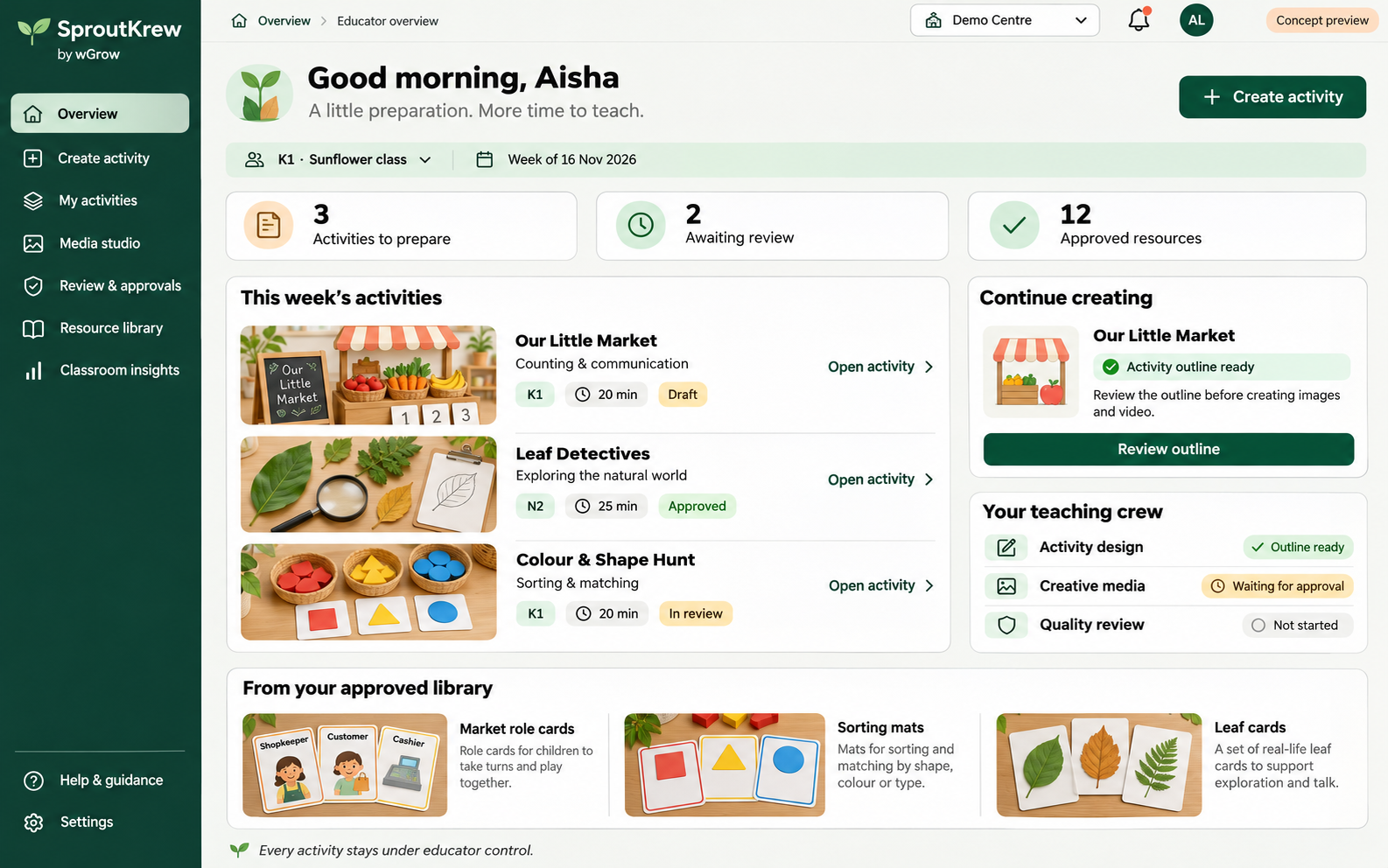
See activities to prepare, pending reviews and approved resources in one educator overview. Resume the current activity or reuse cards and teaching materials from the approved library.
02 / 06
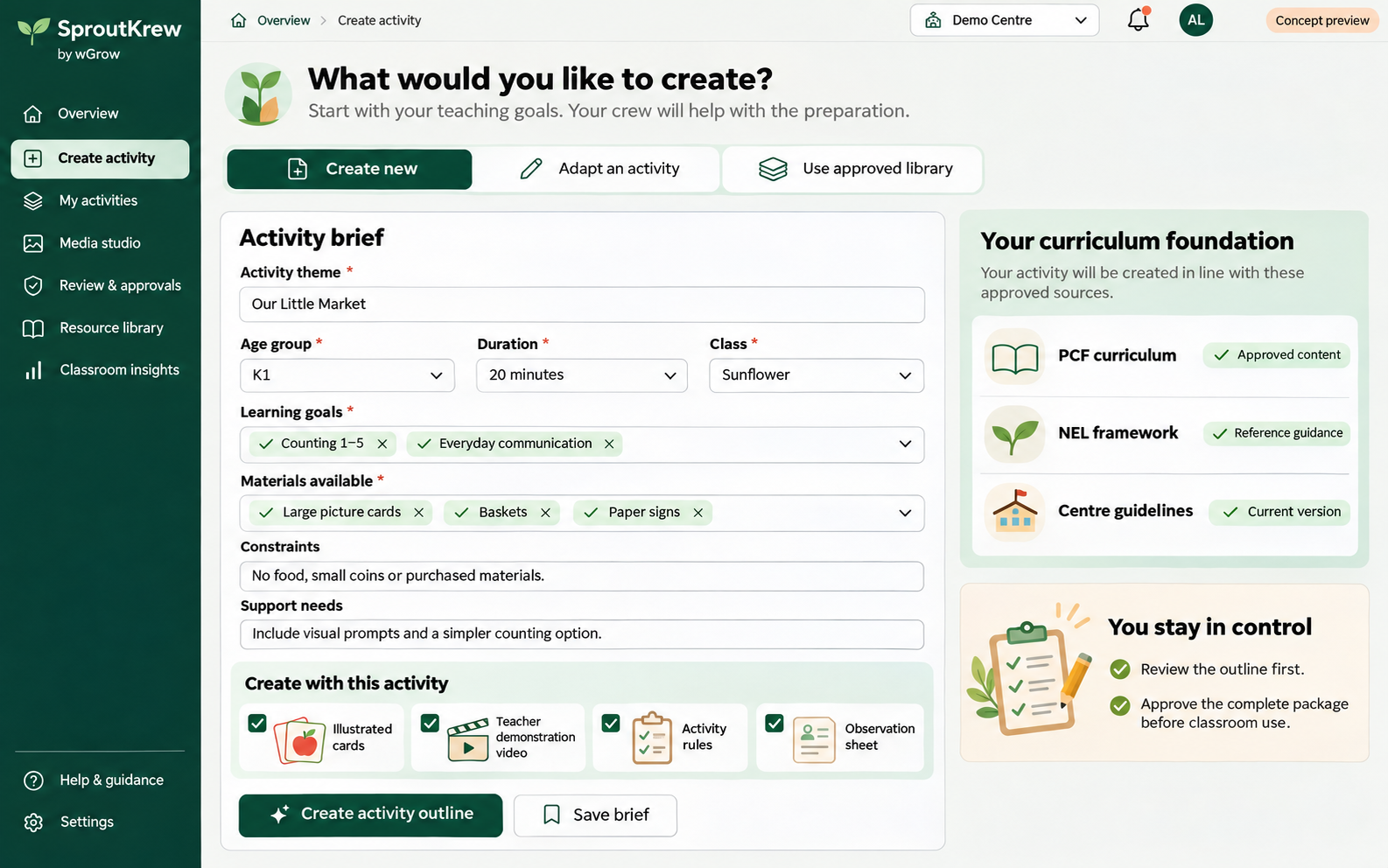
Create a new activity, adapt an existing one or start from the approved library. Set the age group, learning goals, duration, available materials, constraints and support needs before requesting an outline.
03 / 06
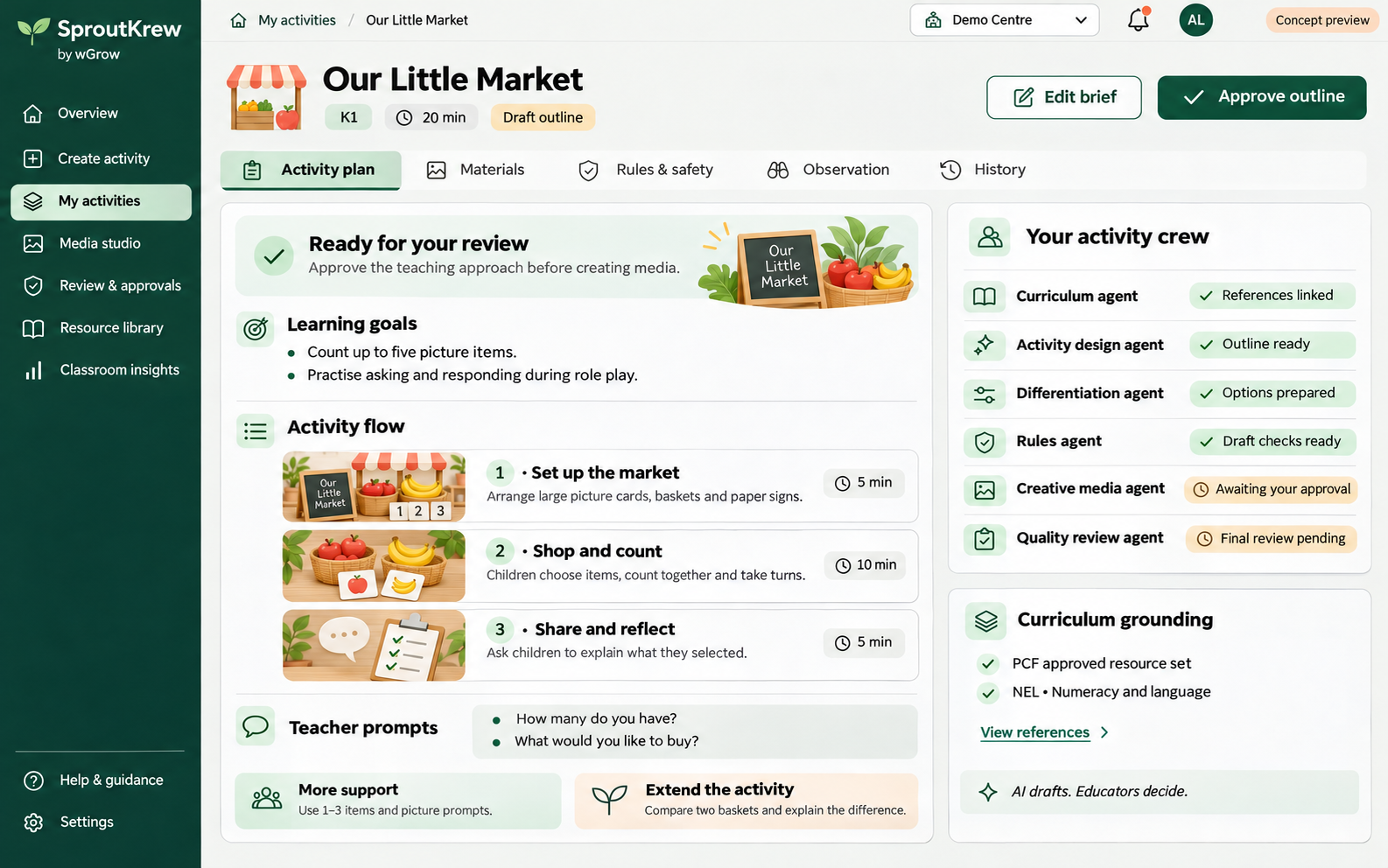
Review learning goals, preparation steps, teacher prompts and supported or extended versions alongside agent progress. Approve the teaching approach before the crew produces the media package.
04 / 06
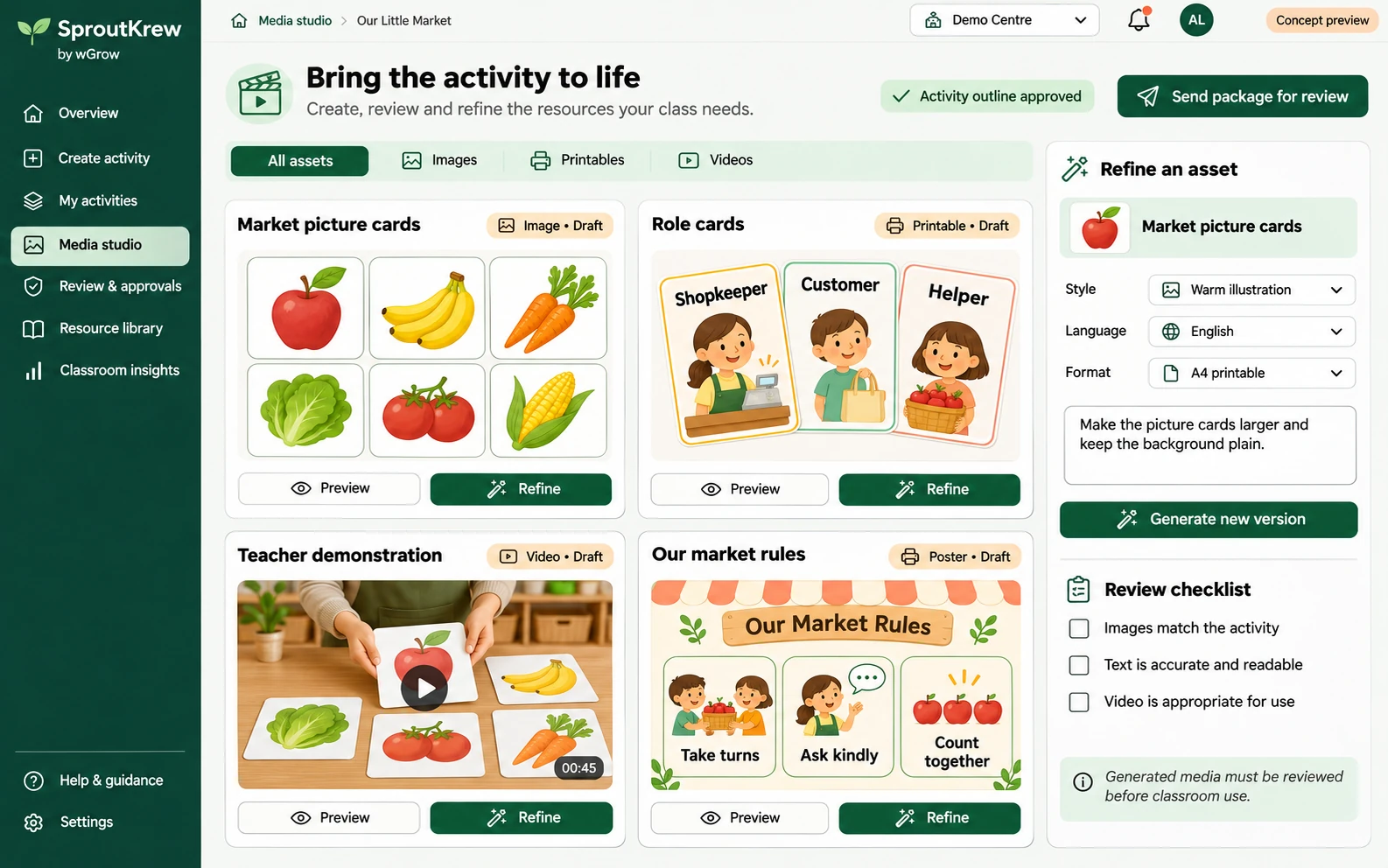
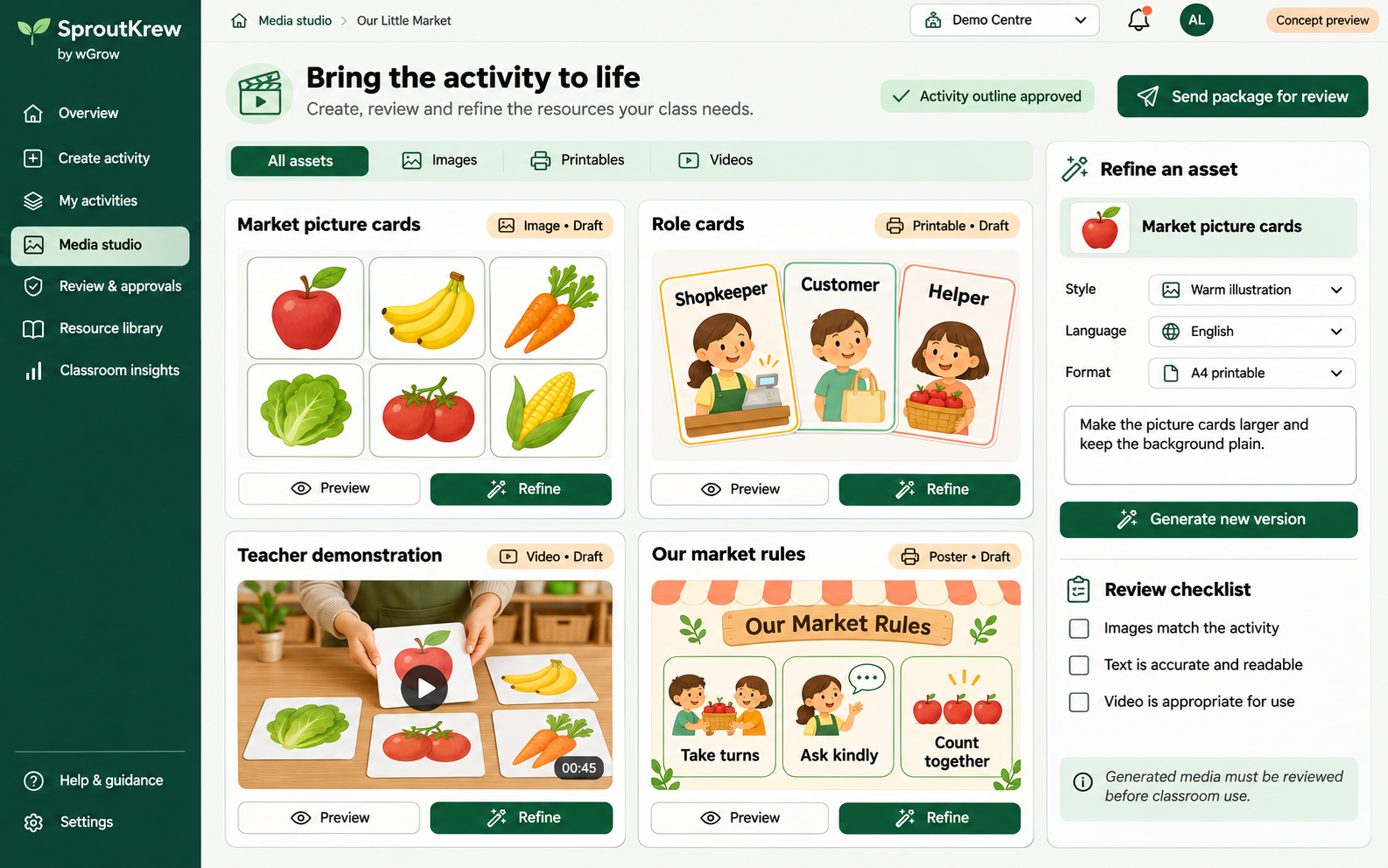
Create and refine market picture cards, printable role cards, a teacher demonstration video and an activity rules poster. Review the images, text and video before sending the complete package for approval.
05 / 06
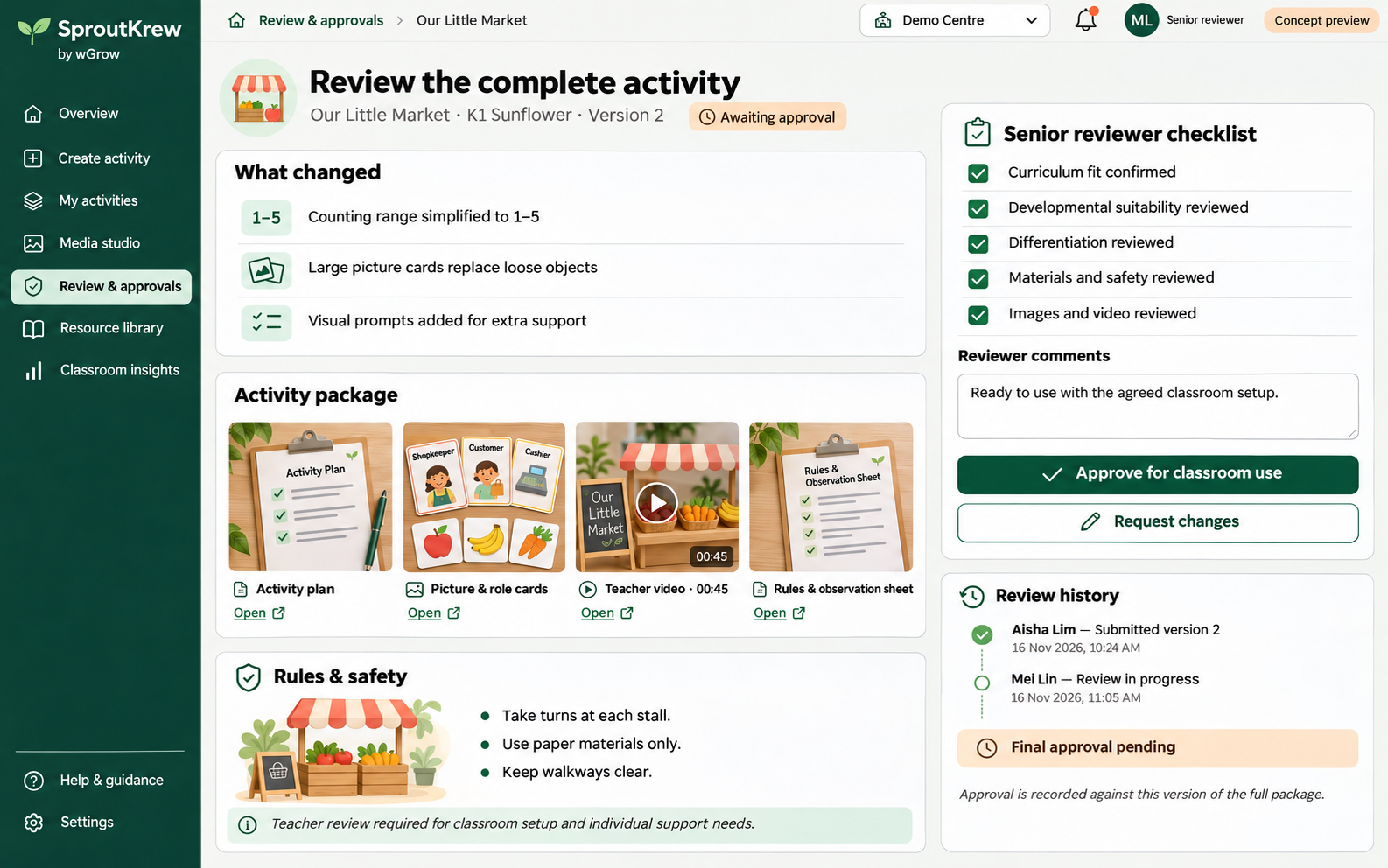
Review the changes, complete activity package and safety instructions together. Senior reviewers check curriculum fit, suitability, differentiation and media, then approve the version or request changes.
06 / 06
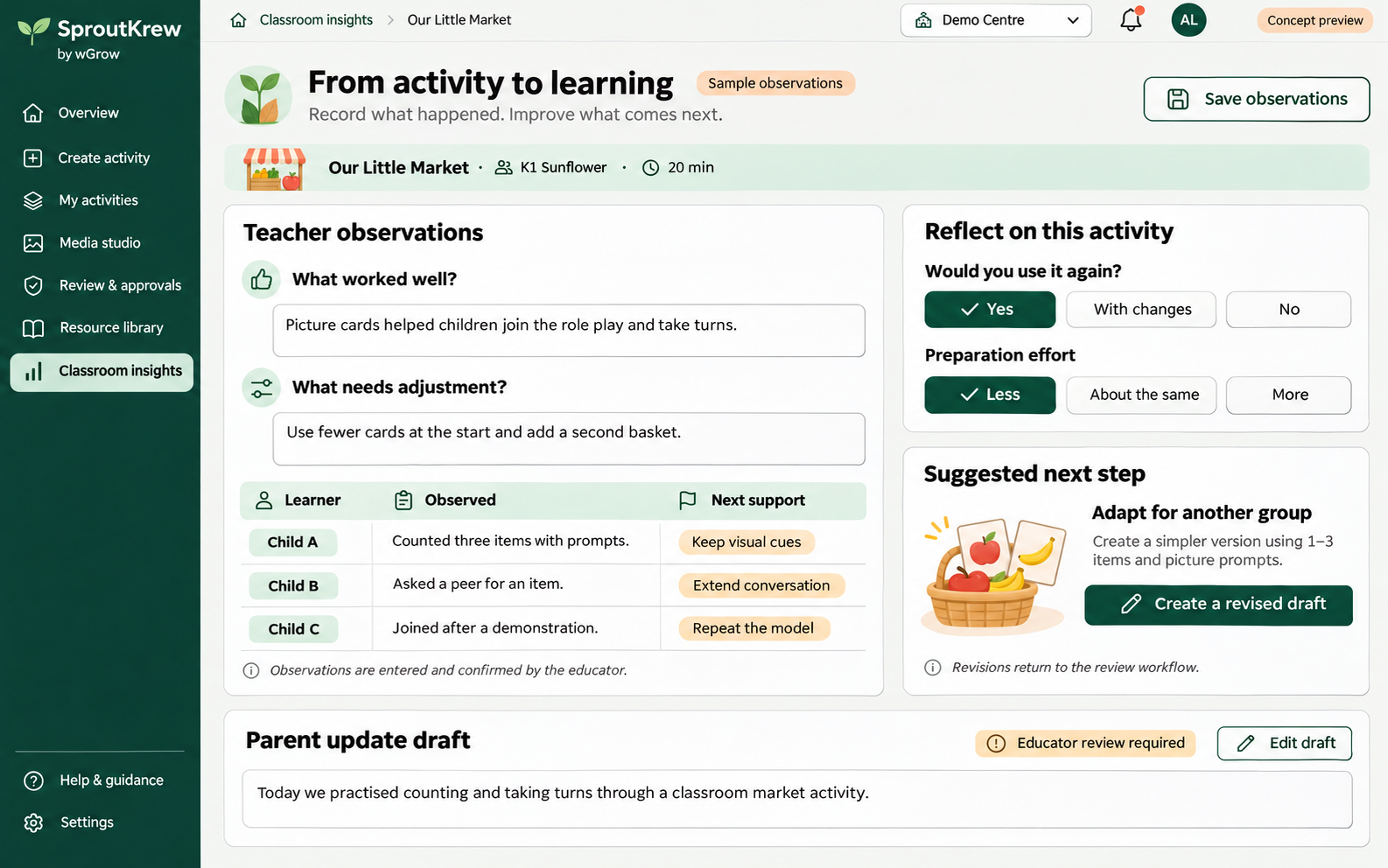
Record teacher-confirmed observations, reflect on preparation effort and identify changes for the next group. Create a revised draft or prepare a parent update for educator review.
Seven specialists. One shared brief.
Curriculum grounding, activity design and media production are different responsibilities. SproutKrew separates them, then brings their work back together for review.
Links the educator’s objectives to approved curriculum sources and records the learning goals, references and suitability rationale.
Creates, adapts or selects an activity around the age group, developmental needs, time, space and available classroom materials.
Produces supported, standard and extension options using the educator’s assessment of abilities and support needs.
Creates the images, printable cards, illustrated stories, posters, video scripts and short videos required by the approved activity outline.
Drafts participation rules, turn-taking guidance, teacher prompts and material-handling precautions for authorised staff to review.
Checks curriculum grounding, completeness and consistency across the plan and media, and highlights concerns requiring educator judgement.
Coordinates concept approval, revisions, final review and version history, then returns approved resources and classroom feedback to the shared workflow.
Human approval is part of the workflow
Educator sets the goals and constraints.
Educator approves the teaching approach.
Crew creates the coordinated materials.
Authorised reviewer signs off the version.
Educator observations inform the next draft.
The educator reviews the learning goals, activity flow and adaptations first, so images and videos follow the agreed teaching approach.
The required reviewer checks the plan, resources, proposed precautions and support needs. Approval is recorded against that version; subsequent changes return to review.
Agents draft activity rules and facilitation steps. They do not rewrite mandatory safety requirements, curriculum policies or approval requirements.
The classroom closes the loop
Educators record what worked, where children needed support and what should change. SproutKrew turns those observations into a revised activity draft, a simpler variation or an extension for the next group.
Parent updates remain drafts for educator review. The educator confirms observations and decides what to share.
See classroom feedbackPractical questions
It does all three: selects from an approved library, adapts an existing activity, and creates a new activity. The crew also creates the images, printables, videos, rules and observation materials needed to deliver it.
The educator sets the brief and approves the outline before media production. The complete activity package goes through the required educator or senior-reviewer approval before classroom use. Agents flag concerns and propose corrections; authorised staff make the final decision.
No. It drafts activity rules and facilitation procedures within the approved curriculum, centre guidance and constraints. Mandatory safety requirements, policies and approval requirements remain under authorised staff control.
The agents work from one shared activity specification. A change is checked against the plan, pictures, video, rules and adaptations so affected resources are revised together. Changes to an approved package return the affected version to review.
The package supports hands-on classroom experiences. Printables and teacher demonstration videos help educators prepare and facilitate; an activity does not need child-facing video or extra screen time to use the crew’s resources.
We configure the curriculum sources, review roles, resource library and integration around your centre’s workflow. Tell us which planning tools you use and what needs to move between them so we can define the integration and approval handoffs.
Bring your teaching workflow
Tell us how your educators plan activities, create resources and approve classroom materials. We’ll show you how SproutKrew fits your curriculum, centre guidelines and existing planning tools.
Discuss SproutKrew