
Familiar places. Personal support.
Connect a resident’s preferred language, recognisable landmarks and agreed assistance to one support plan. Prepare guidance around the person and the actual place.
Crew 10 · HavenKrew by wGrow
HavenKrew
Personal support. Familiar places. A connected care circle.
A familiar journey can make the neighbourhood feel more accessible. HavenKrew connects resident needs, verified places and human-approved guidance—online and throughout the estate.
One coordinated AI crew prepares the materials. Residents, caregivers and community teams shape how they are used.
From digital coordination to everyday confidence
Resident preferences, route information and caregiver guidance often live in separate places. HavenKrew proposes a shared source for preparing, approving and maintaining support across the digital and physical environment.
Connect a resident’s preferred language, recognisable landmarks and agreed assistance to one support plan. Prepare guidance around the person and the actual place.
Prepare large-print cards, landmark images, spoken prompts and captioned videos from the same reviewed route. Carry the guidance from the workspace into homes and shared spaces.
Give facilitators and reviewers a shared view of source photographs, proposed instructions and open questions. People verify the route, approve materials and decide the support needed.
Record supervised observations of hesitation, wrong turns and assistance. Compare approaches and refine materials through review, with evidence to support the next pilot decision.
One everyday journey
A resident and their companion prepare for a visit to a nearby Active Ageing Centre. The team checks the actual route, chooses recognisable cues and prepares a consistent set of guidance.
Illustrative scenario. Locations and people shown in the screens are fictional.
The support travels with the person
A printed card, an audio prompt and a resident guide all refer to the same approved route version.
How the system works
The proposed workflow joins resident context and verified environmental evidence. Approval applies to a specific version; changes return to review.
Confirm resident preferences, permissions, goals and the care circle. Agree the level of support with the responsible team.
A facilitator walks the route, checks accessibility and records recognisable landmarks with real photographs and review dates.
Six specialist agents assemble a support plan and draft text, images, audio and video from the verified source set.
Named reviewers resolve concerns and approve a specific version. Physical installations need the estate authority’s approval.
Distribute approved print and downloadable media. Run supervised journeys, record observations and return proposed changes for review.
Draft → specialist checks → authorised human review → approved release → versioned distribution. A changed route or unresolved safety concern pauses publication until the responsible team has checked it.
Large-print route cards, daily routines, caregiver guides and proposed signage wording.
Verified landmark photographs, visual step cards and consistent destination cues.
Short spoken directions, paced for the resident and reviewed in the chosen language.
Captioned familiarisation sequences and downloadable materials for agreed devices.
Our Agentic Krew team setup
Each proposed specialist has a bounded responsibility. Shared evidence links resident preferences, verified landmarks, route records and the current material version. Software permissions and review gates govern release.
Agents draft, check and flag gaps. Care teams agree resident support, facilitators verify places, authorised reviewers approve content, and estate authorities approve physical installations. Model output alone cannot authorise release.
Inside HavenKrew
Explore the original screen designs, from resident needs to offline materials and field evaluation. These are concept designs, not screenshots of a deployed service. All resident details, places and dashboard results are illustrative.
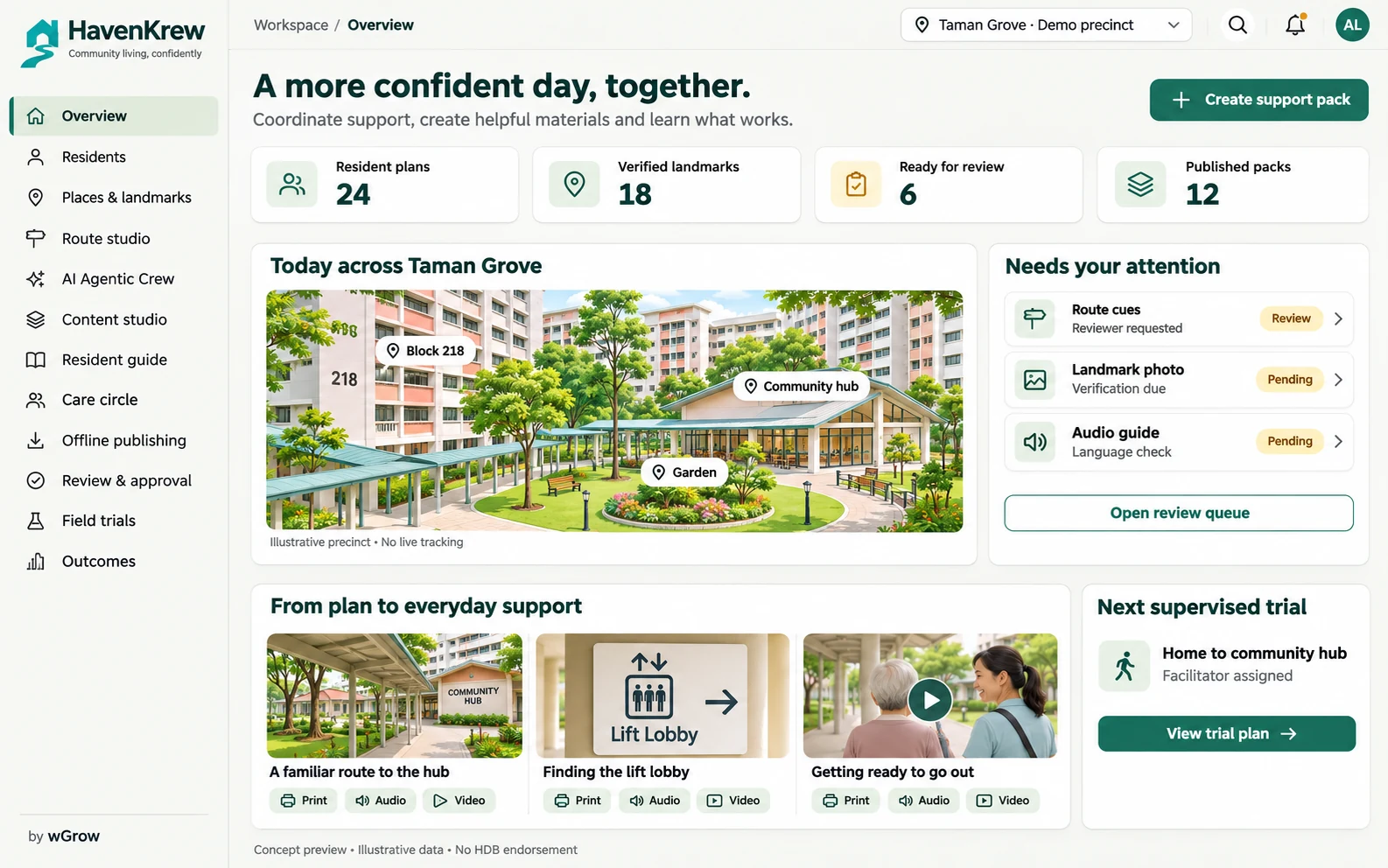
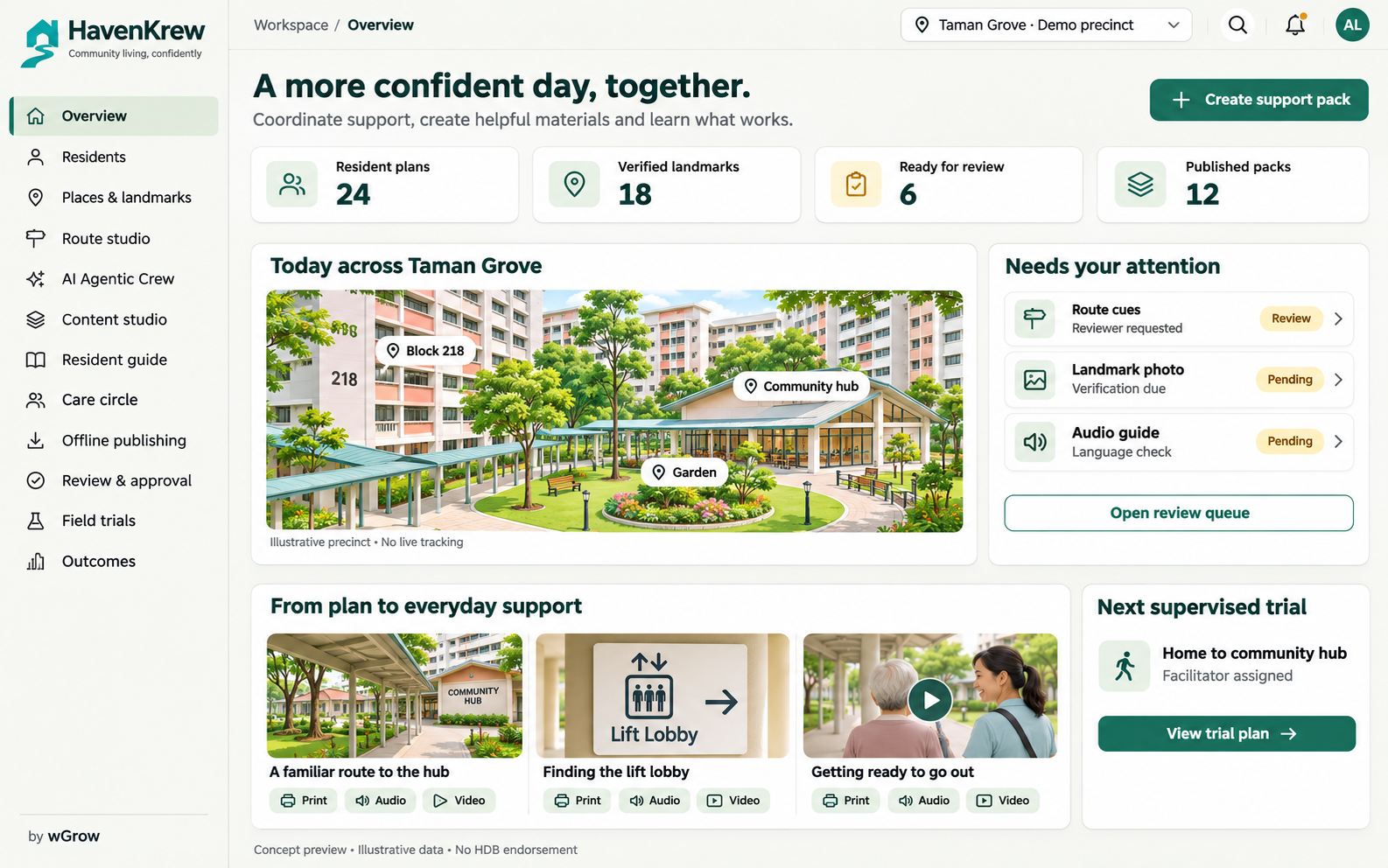
01 / 12 · Concept design
Coordinate resident support, verified places, content queues and supervised trials in one programme view. Identify work needing attention before a material reaches a resident.
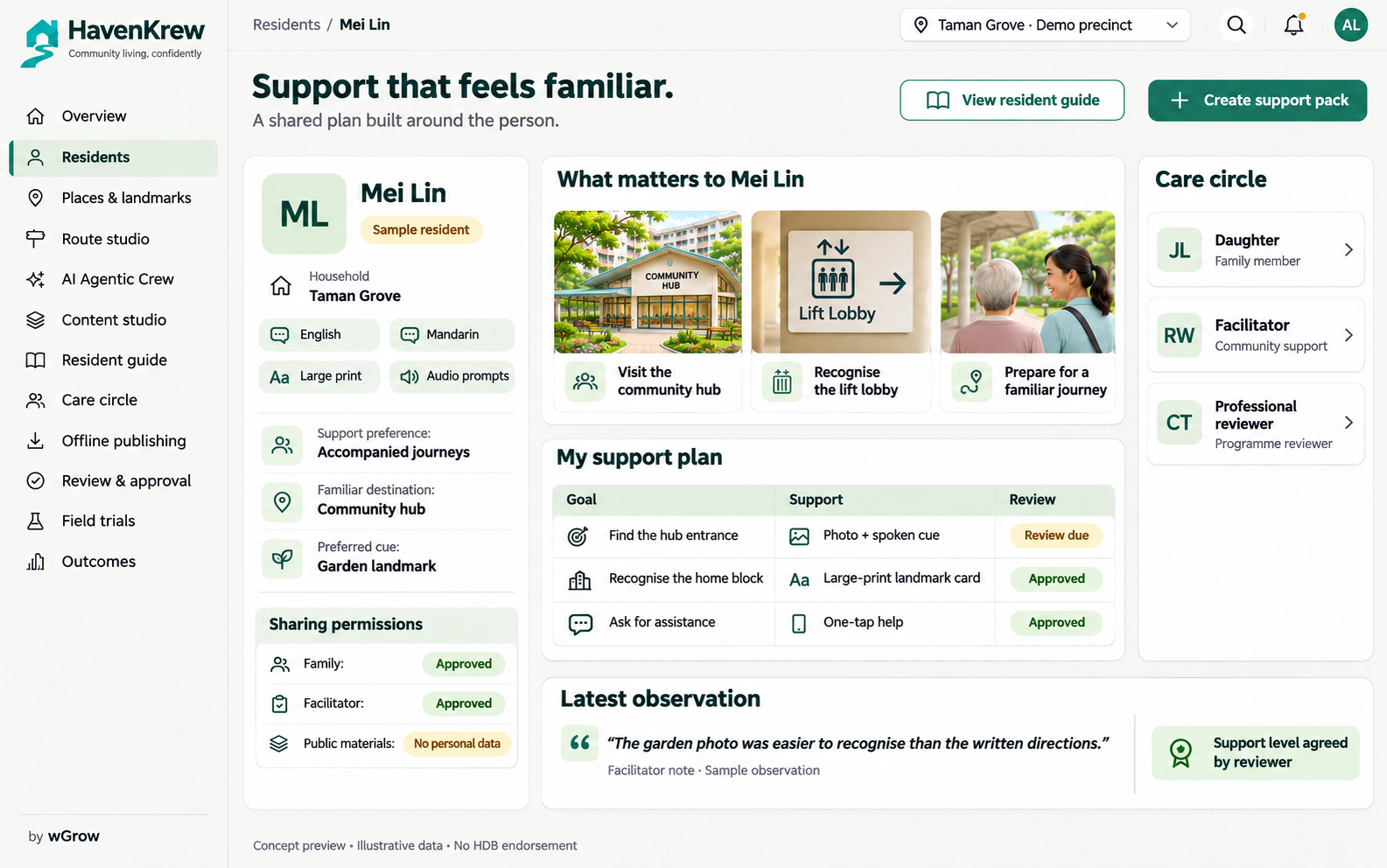
02 / 12 · Concept design
Record familiar places, preferred language, communication preferences and agreed support goals. A shared profile gives the crew and care circle a consistent starting point for review.
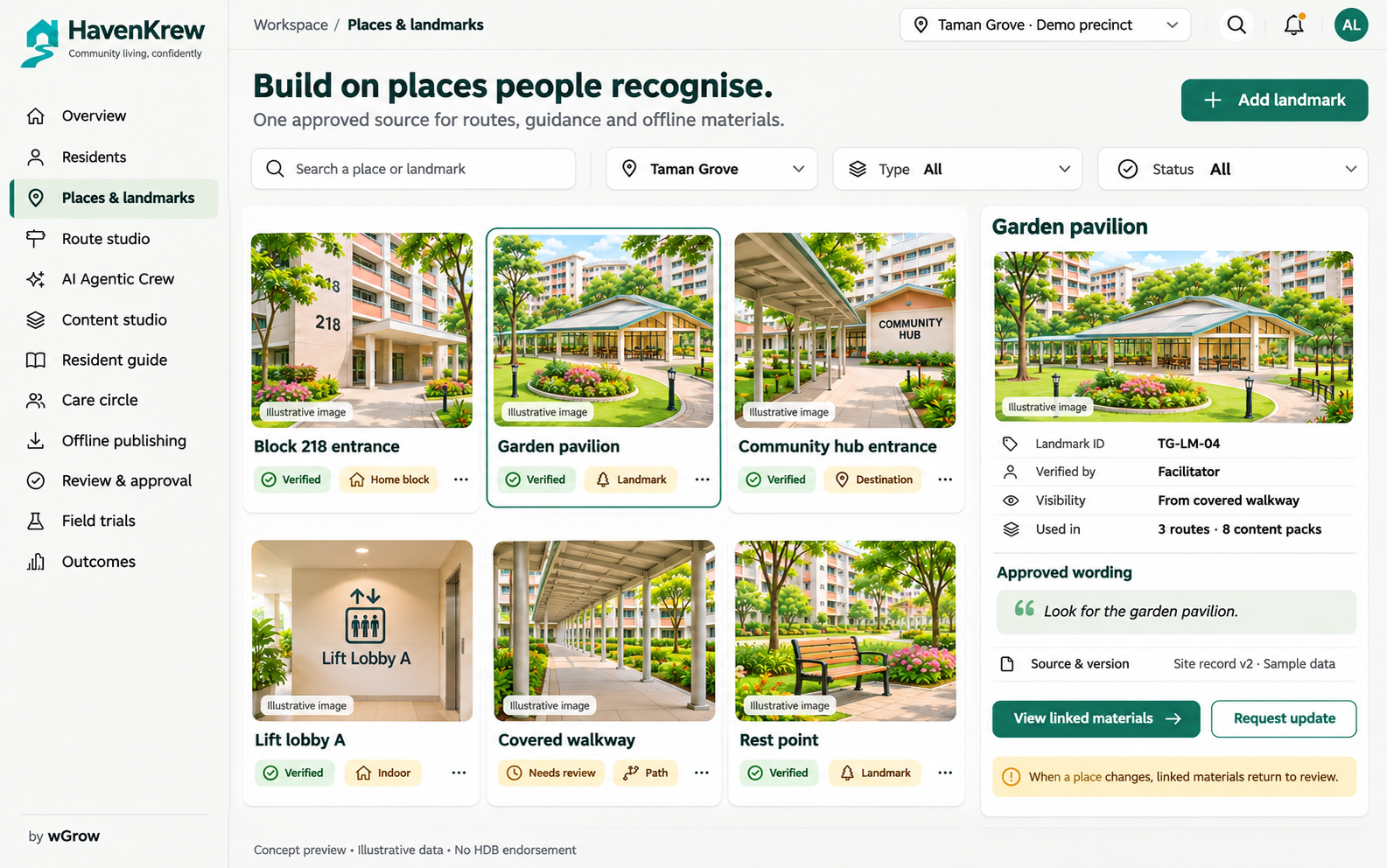
03 / 12 · Concept design
Maintain photographs, approved wording, verification status and review dates for local places. Staff check the real environment so published cues stay recognisable as routes and landmarks change.
04 / 12 · Concept design
Arrange a journey around familiar landmarks and review each decision point. Keep the route, resident cues and assistance conditions together before an authorised person approves the guidance.
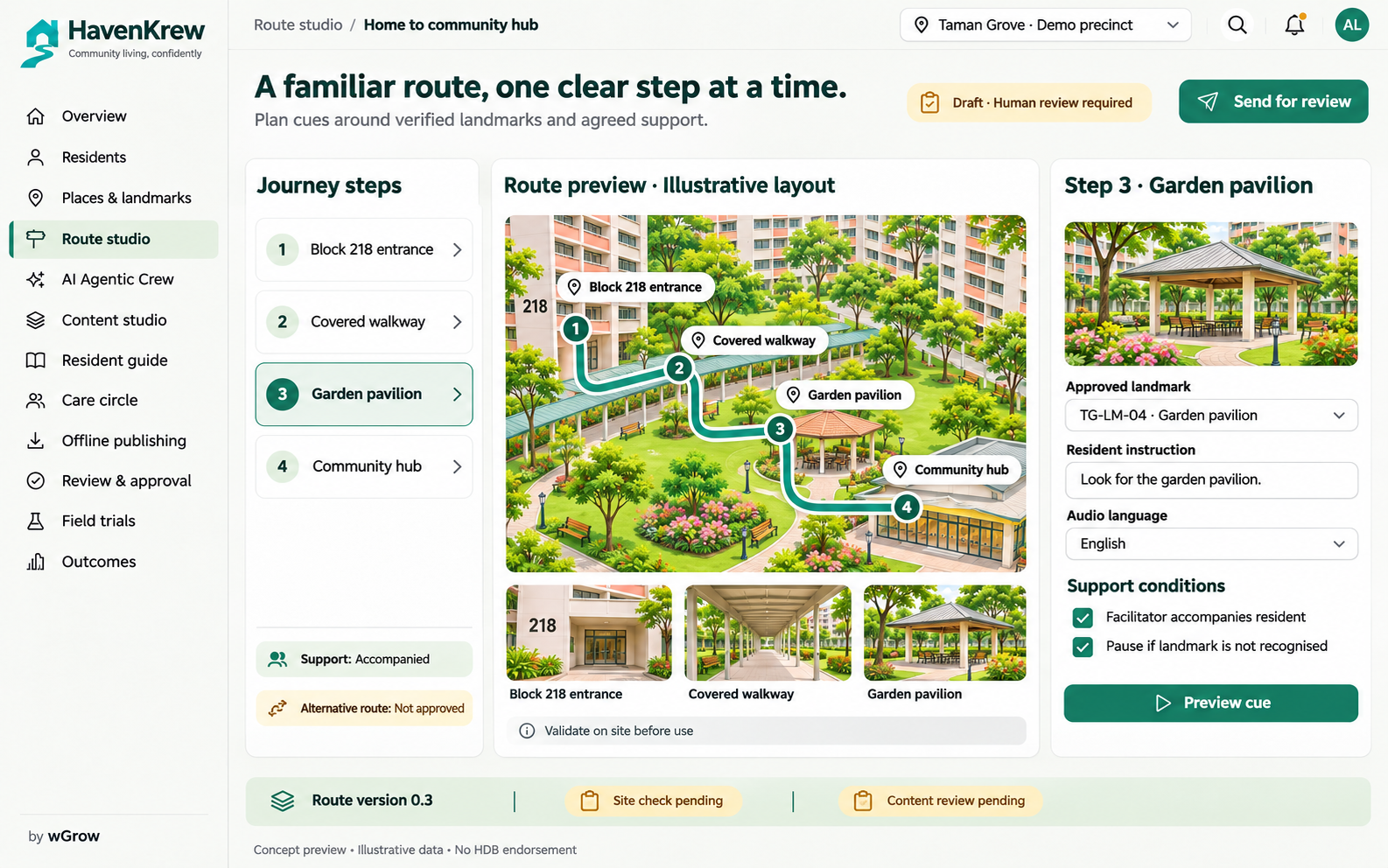
05 / 12 · Concept design
Follow six bounded specialist roles from resident needs and local evidence to a draft support pack. The shared evidence panel makes pending verification and the human publication gate visible.
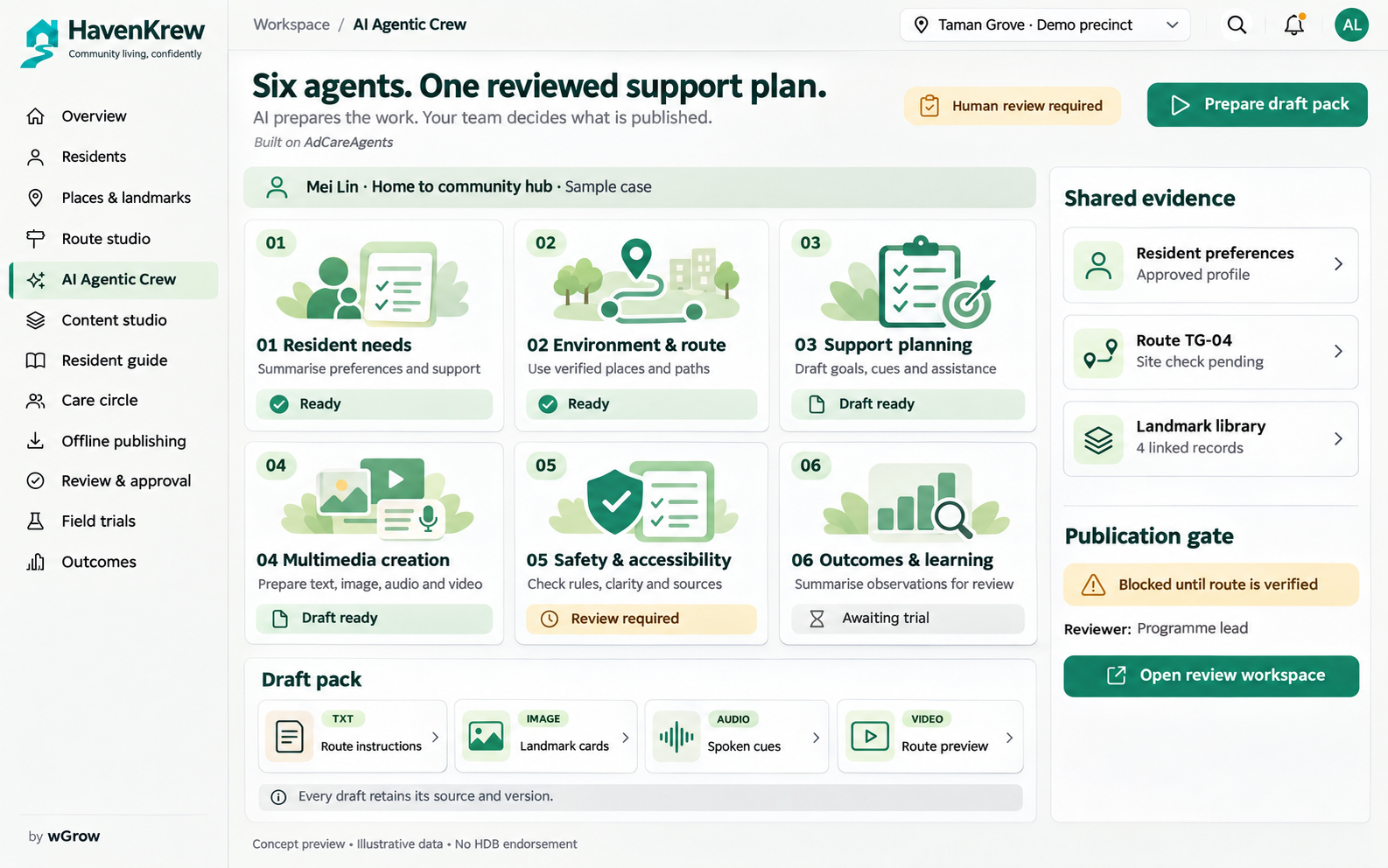
06 / 12 · Concept design
Prepare large-print text, landmark image cards, spoken prompts and captioned route videos from the same reviewed brief. Keep navigation imagery tied to the actual place and send every pack for approval.
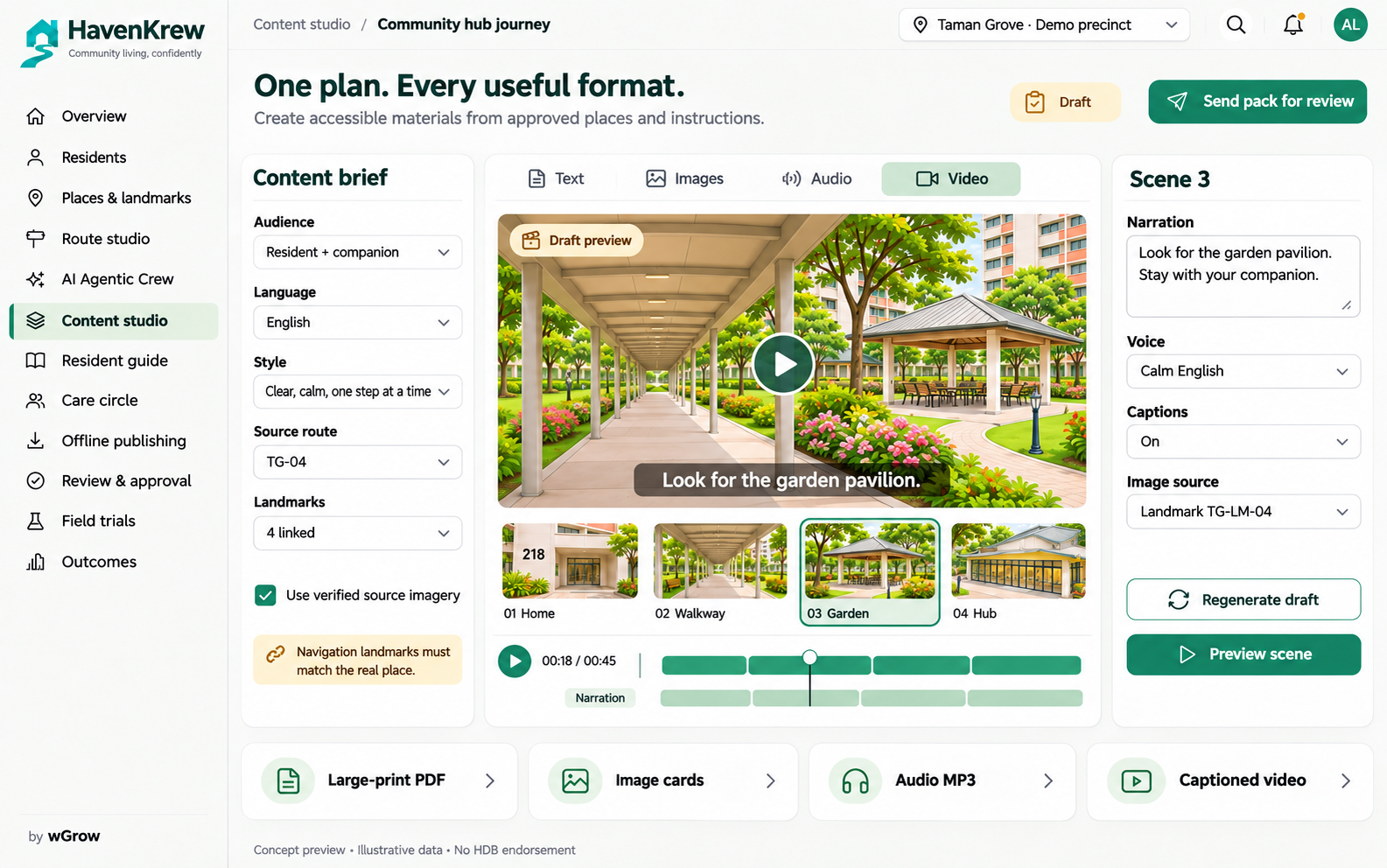
07 / 12 · Concept design
Present one familiar landmark and one instruction at a time, with replayable audio and clear help options. The resident experience follows the agreed support plan and companion arrangements.
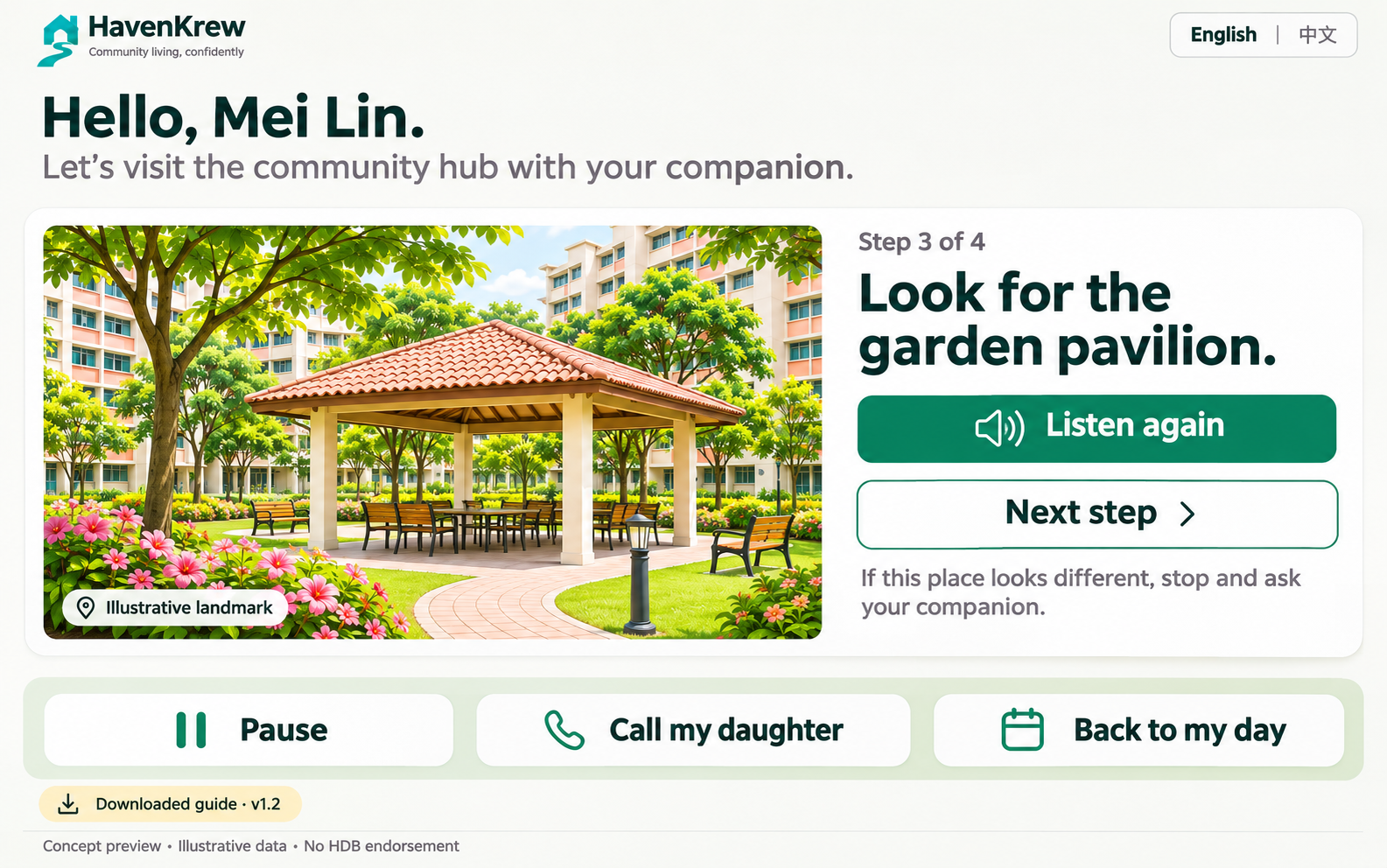
08 / 12 · Concept design
Bring the day’s plan, shared observations and follow-up requests into one coordinated view. Family, facilitators and programme staff work from information appropriate to their agreed responsibilities.
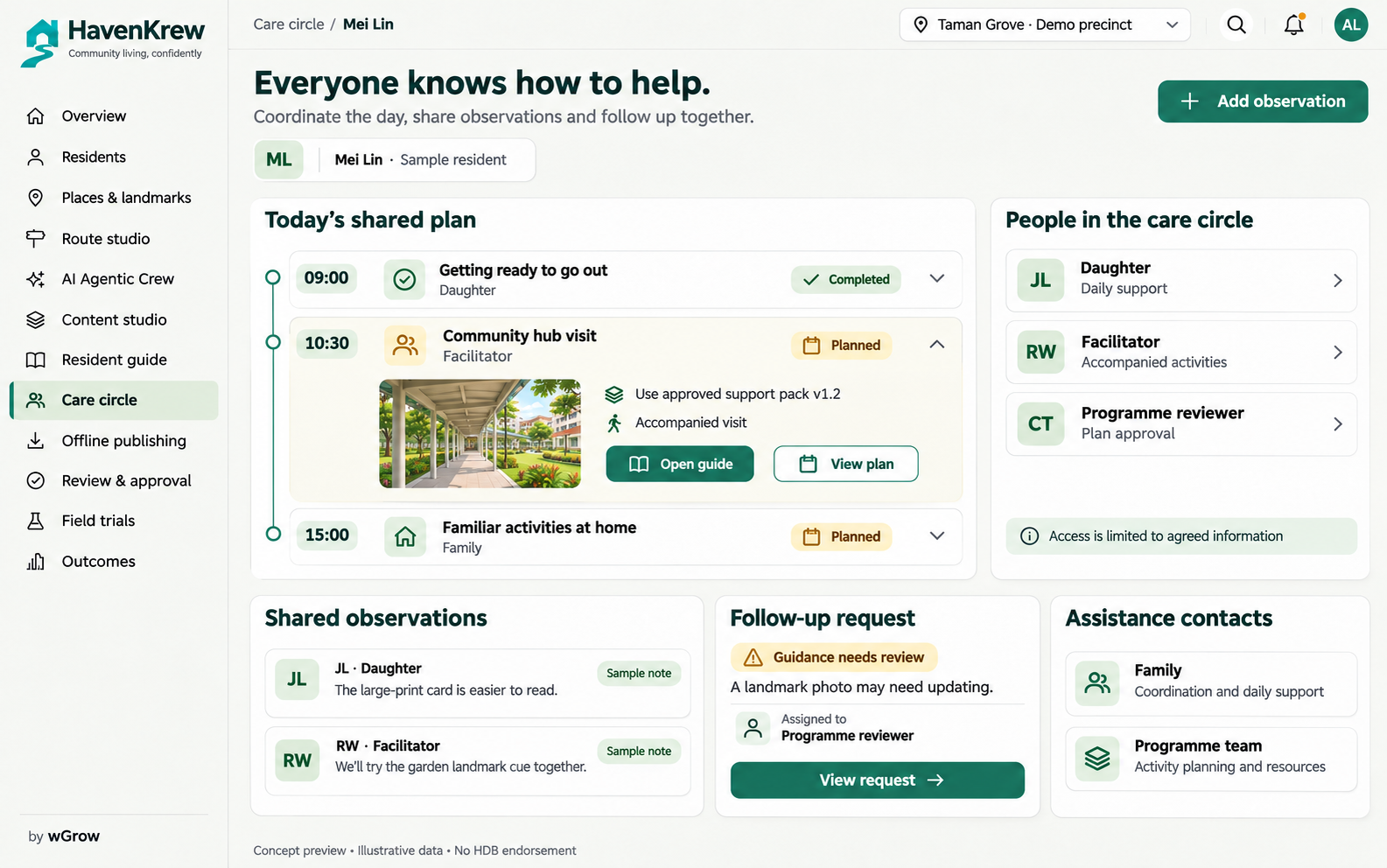
09 / 12 · Concept design
Package reviewed guidance for print, family tablets, facilitator kits and community displays. Track material versions and distribution so changed routes trigger a clear replacement process.
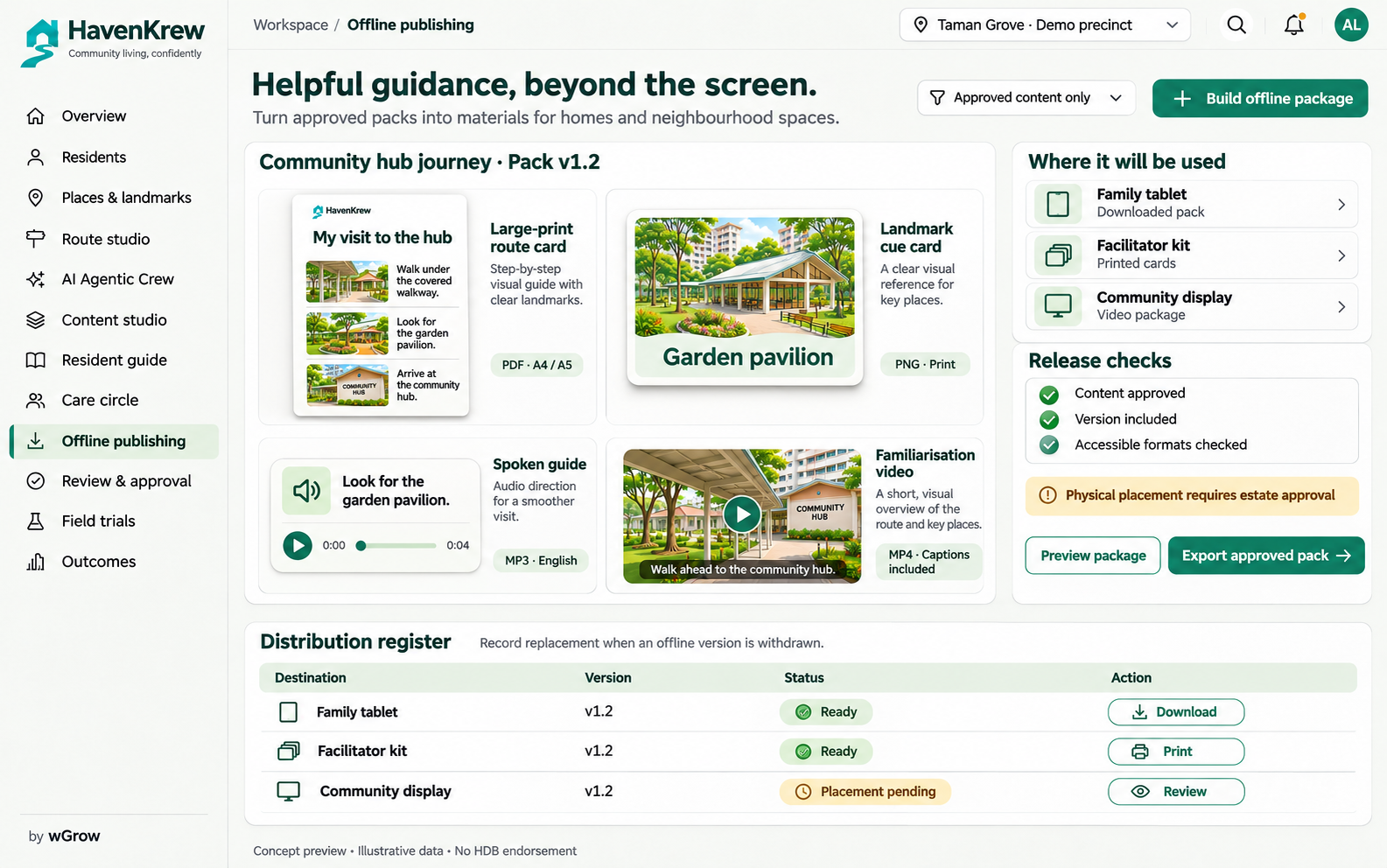
10 / 12 · Concept design
Review wording, accessibility, source links, route checks and physical placement before release. An unresolved site check pauses publication; revisions return to an authorised reviewer.
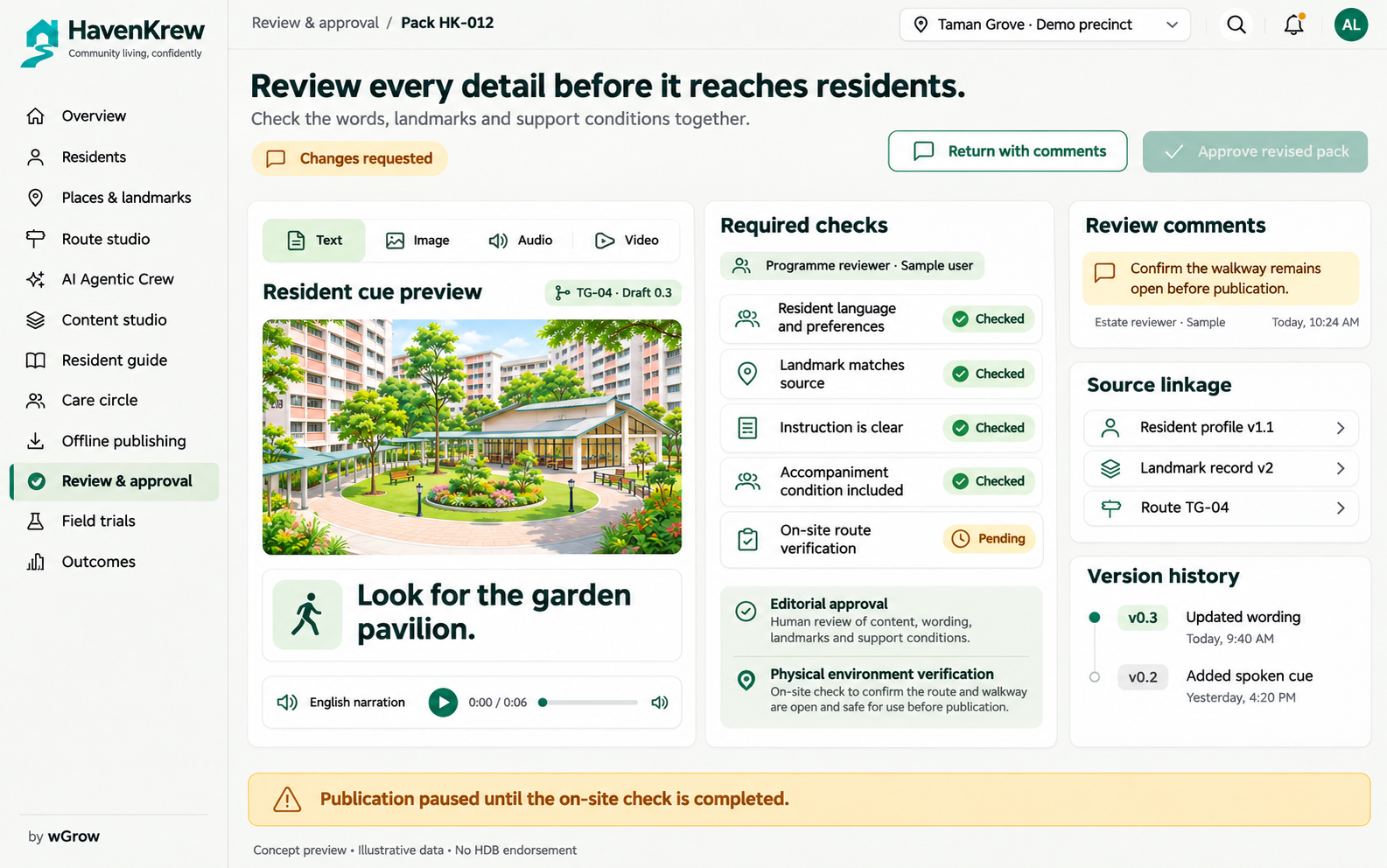
11 / 12 · Concept design
Record supervised journey observations such as hesitation, wrong turns, backtracking and assistance. Facilitators can pause or end a session and capture context for later review.
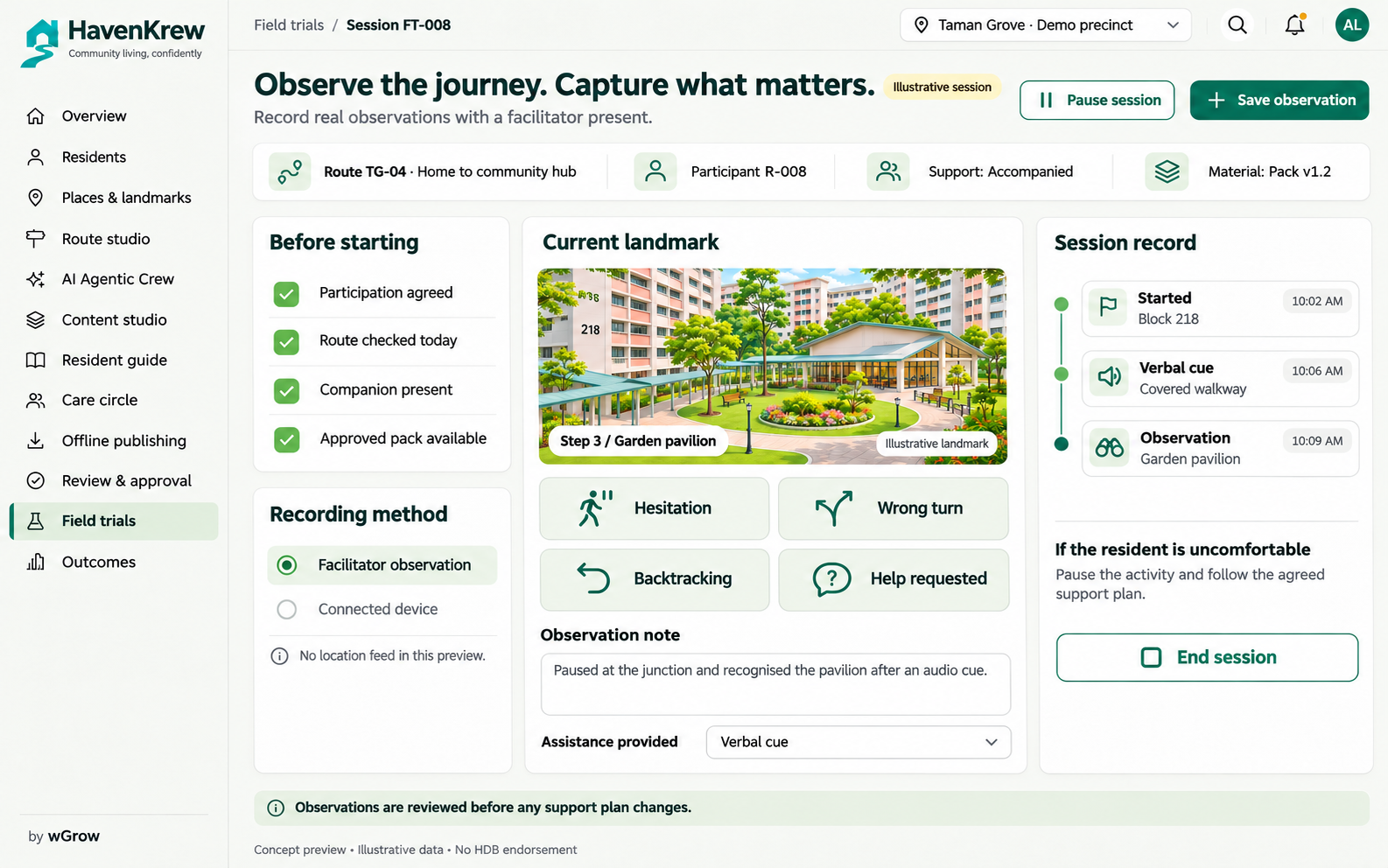
12 / 12 · Concept design
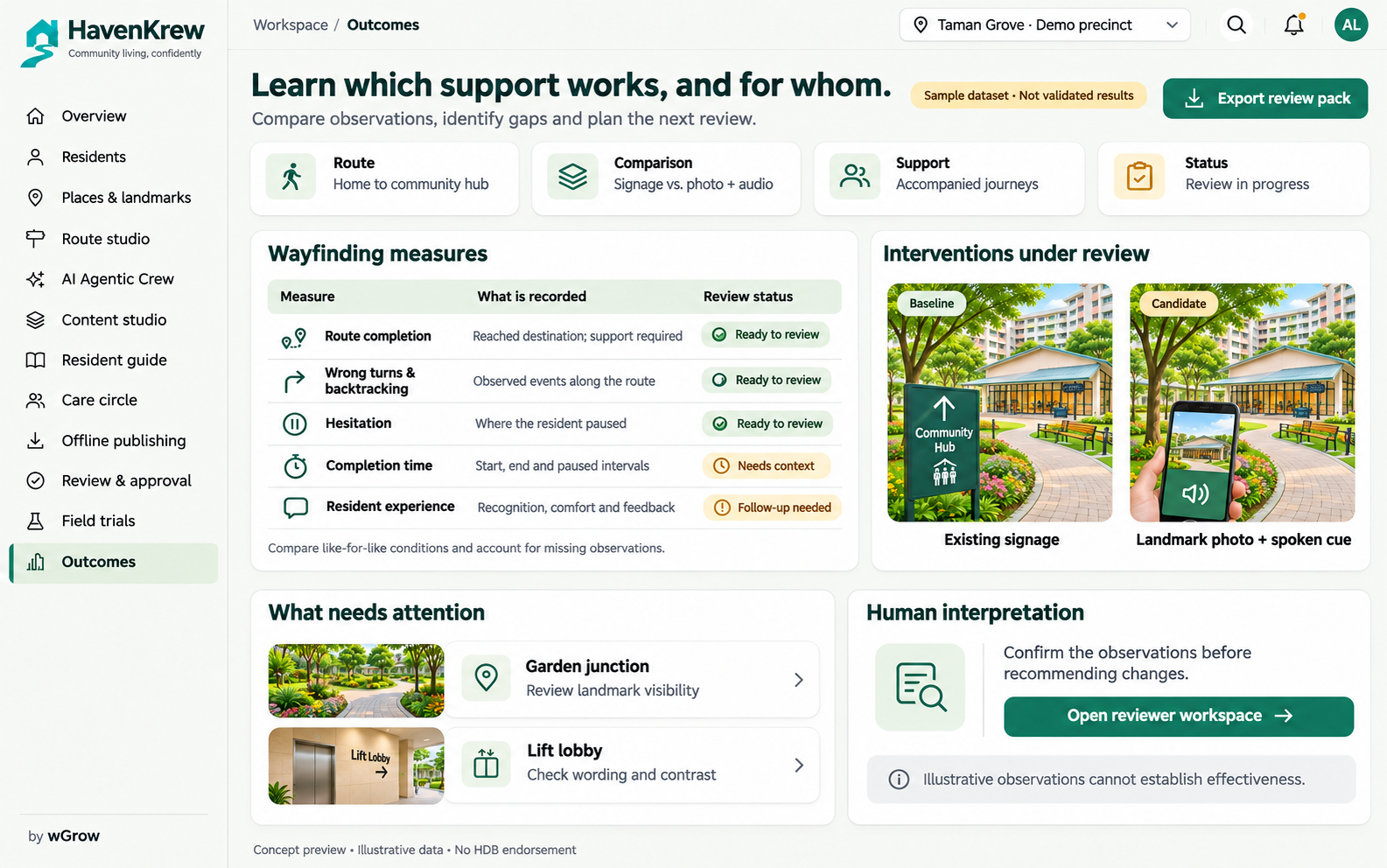
Compare observed journeys and different support approaches using agreed measures. Surface places needing attention and prepare an evaluation pack for human interpretation rather than treating a dashboard as proof of effectiveness.
For Singapore public-sector and community partners
A focused pilot lets agency, estate, care and technology teams assess the concept against a real operating context. Begin with one agreed setting, a small set of journeys and supervised use.
Discuss a HavenKrew pilot ↗Agree the use case, site access, participant permissions, responsible teams, support needs and baseline measures before implementation.
Prepare verified route records, the online workflow and an approved offline pack. Review functionality, accessibility and security before supervised use.
Compare observed journeys, record limitations and maintenance effort, then agree refinements, handover or a separate expansion scope.
| Evaluation area | Evidence to review |
|---|---|
| Place accuracy | Walked routes, recognisable source photographs, landmark owners and review dates. |
| Resident suitability | Language, legibility, audio clarity and agreed assistance, reviewed with residents and caregivers. |
| Publication control | Named approvers, unresolved-issue blocking and approval tied to the released version. |
| Offline continuity | Readable print samples, downloadable media and a register of where each version is used. |
| Observed usability | Supervised route completion, hesitation, wrong turns, assistance and participant feedback. |
| Operational handover | Export formats, maintenance ownership, training, support and replacement of outdated materials. |
Measures are proposed evaluation criteria, not achieved outcomes. No improvement percentage or clinical effectiveness is claimed.
Define hosting location, access roles, encryption, retention and deletion, audit records, model-provider processing and permitted data flows. Agency security and data-governance review must inform the implementation scope.
Agree who owns route checks, translation review, expired materials and offline replacement. Scope service levels, training, exports, source-code rights, operating costs and exit arrangements in the proposal.
Produce a review pack of approved materials, test findings, field observations, limitations and outstanding risks. Expansion follows the buyer’s acceptance and procurement process.
Extending the AdCareAgents approach
AdCareAgents provides the starting approach: resident context, personalised plans, coordinated agents and review. HavenKrew proposes the community layer—verified places, landmark-based routes and guidance that can leave the screen.
Explore AdCareAgents (opens in a new tab)Carry forward only the preferences and agreed support information needed for the journey.
Add checked routes, real photographs, recognisable landmarks and ownership for updates.
Prepare consistent online and offline materials, then use supervised feedback to propose revisions.
Integration is proposed. APIs, data mappings, access rights and deployment compatibility require assessment; no completed connector is claimed.
Singapore context
HDB’s published work on wayfinding highlights recognisable block identities, clear cues and accessible signage. HavenKrew explores the operational layer around that environment: personalised preparation, consistent materials and structured feedback.
Context references describe public priorities. They do not establish endorsement, a contract award or acceptance of this concept.
Practical questions
This page presents the HavenKrew product concept and twelve coordinated screen designs. The sample precinct, residents, routes and dashboard figures are illustrative. A functional demonstration, integration scope, security evidence and field validation would be agreed in a pilot proposal. The designs do not establish a deployed estate service or validated resident outcomes.
The proposed workspace brings together community programme teams, facilitators, caregivers and authorised reviewers. Residents use the approved guidance with the agreed support. An agency or estate operator can evaluate shared materials and supervised journey observations across a defined pilot area.
The concept includes printed route cards, landmark cards and downloaded audio or video for agreed devices. Online coordination prepares and maintains those materials. Device choices, offline availability, language coverage and accessibility need to be tested with the intended users.
Navigation materials must preserve the identity and appearance of verified real places. The proposed workflow uses approved photographs and route records; an authorised person checks instructions against the location before release. Illustrative images in these concept screens are not instructions for a real journey.
HavenKrew extends the AdCareAgents approach to personalised support, coordinated agent work and human review into community living. The proposed integration connects selected resident context, support plans and review workflows. Data fields, permissions, APIs and deployment compatibility must be assessed before implementation.
No. HavenKrew is an independent wGrow product concept. HDB has not endorsed it. No clinical effectiveness, procurement eligibility, security certification or completed government deployment is claimed. Supervised trials and the relevant agency’s assessment would establish suitability for a specific use.
Begin with an agreed problem, pilot site, participant group and acceptance criteria. The proposal should define deliverables, milestones, data handling, hosting, model providers, security review, accessibility testing, support, intellectual property and exit arrangements. Commercial terms and any procurement route are agreed separately with the buyer.
Bring your estate, care and technology teams together
Tell us the setting, the people you support and the journeys that matter. We’ll shape a scoped demonstration, review responsibilities and an evaluation plan with your team.
Discuss HavenKrew