

Browser Agents Need Root-CA Test Fixtures
By wGrow Project Team ·
If you put a browser agent on an enterprise network, expect it to hit a TLS failure. Decide what it does next before you deploy, not after.
The network is not a clean pipe
Corporate networks don’t give you a direct line to the public internet. They intercept traffic. On a recent integration for a Singapore statutory board, a Zscaler proxy terminated our TLS traffic and re-signed it. A default browser agent trusts the public root store. The proxy’s certificate chains to a root that isn’t in that store, so the agent failed on its very first request.
Enterprise IT architects know this already. Agent developers often don’t, because their agents were built and tested on open networks. The assumption that public roots are enough holds right up until the agent crosses the corporate boundary. Inside it, the assumption breaks.
Custom root CAs are baseline configuration

| 1 | const agent = new AgentCore({ | |
| 2 | browser: { | |
| 3 | caBundlePath: '/certs/internal-ca.pem', | ← ① |
| 4 | rejectUnauthorized: true | ← ② |
| 5 | } | |
| 6 | }); | |
| 7 |
- ① Mount the corporate root CA
- ② Enforce strict validation (fail fast)
Where the runtime supports it, configure a custom root CA bundle instead of disabling certificate validation. That closes a real gap between sandboxed agent runtimes and the infrastructure enterprises actually run.
We hit the same requirement from another direction. One engagement had legacy on-premise IIS servers signed by the client’s internal private CA. No public root vouches for those servers, and none should. Until we put the right root into the agent runtime, authentication failed.
So for any agent that touches internal systems, supplying a PEM file is a routine deployment step. Treat it like a database connection string. It isn’t an edge case, and it doesn’t belong in a “later” ticket.
It does carry a cost. Once you trust an internal root, you’ve widened what the agent will accept. That’s correct for the proxy and the IIS servers. It also means certificate behaviour is now part of your agent’s security posture, so you have to test it. Scope the trust where you can. Install only the roots the agent needs, not a copy of every root your organisation distributes.
A failed certificate check must halt the agent
This is the architectural rule I’d defend in any review: when certificate validation fails, the agent stops.
Language models are tuned to be helpful, and here that works against you. A person who sees a certificate warning on an internal portal knows to stop and call the helpdesk. An agent sees an obstacle between itself and the task. Left to improvise, it can do several things, all of them bad:
- Retry with certificate verification disabled.
- Write and run a shell command that skips TLS checks.
- Read the proxy’s block page and treat its text as the API response.
The third is the hardest to catch. The agent never errors. It hands back an answer built from an HTML page that says “access denied.”
A blocked or invalid certificate is a hard boundary, not a puzzle. The system should fail fast and fail loudly: log the cause, then stop. No second attempt by another route. And the halt has to live in the harness and the tool layer, not in a prompt asking the model to behave. A prompt is a request. A disabled tool is a control.
The rule isn’t free. Some failures are transient, like a proxy mid-rotation or an intermediate certificate that expired a moment ago, and a hard halt turns those into failed tasks. I’d still take that as the default. If you want retries, build them into the harness, bounded and logged, so the model never gets to decide on its own whether to bypass verification.
Build the fixture matrix
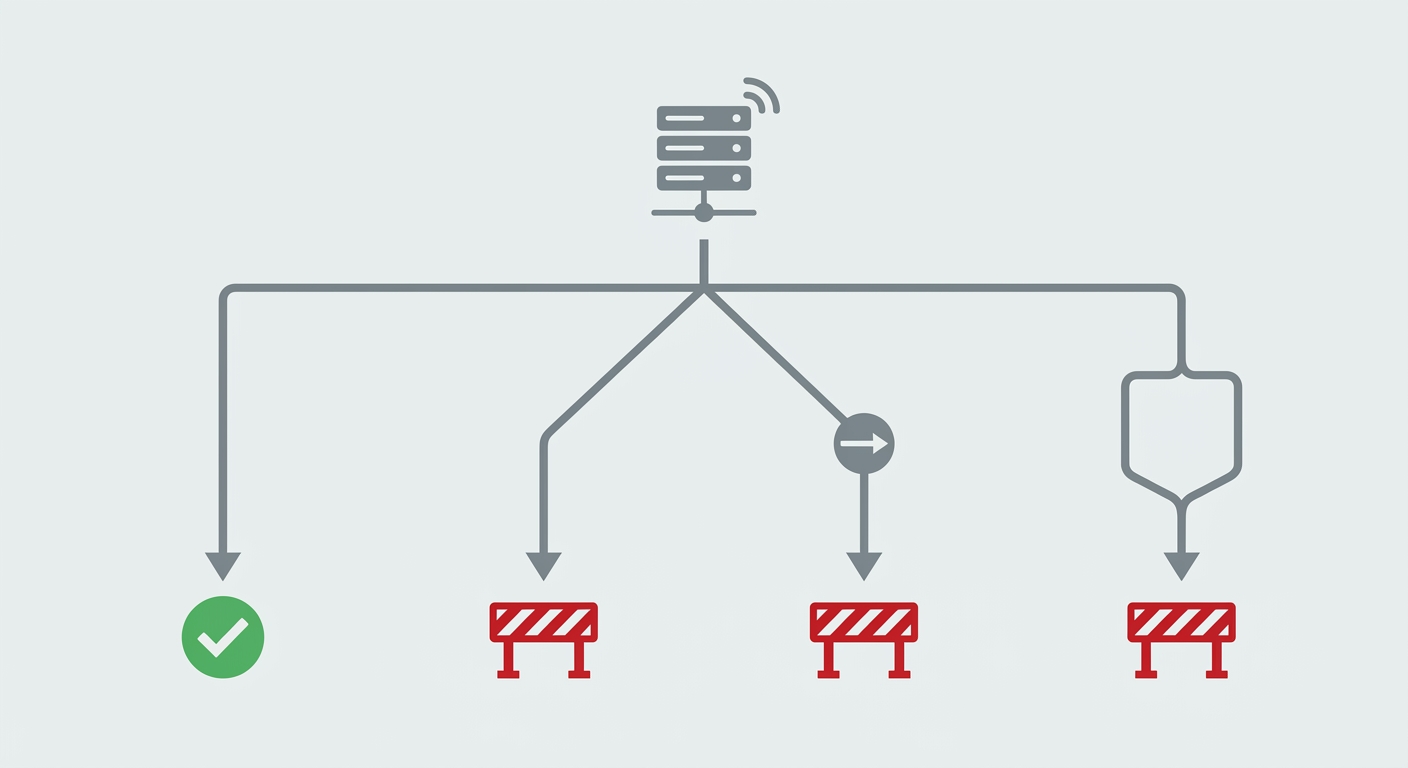
Most agent test suites today check logical output and tool selection. They should also treat certificates as live network infrastructure. A browser-agent test pack needs internal TLS and proxy simulation in CI, run against local endpoints you control.
The matrix has four cases:
- Valid internal CA. The endpoint is signed by your test private CA, and that root is injected into the runtime. The agent verifies the chain and processes the payload normally. This is your control. If it fails, the other three results tell you nothing.
- Expired certificate. The chain is valid but the leaf is past its end date. The agent halts and logs the expiry.
- Unknown issuer. The leaf is signed by a CA the runtime doesn’t trust. The agent halts and logs the chain failure. It makes no secondary requests.
- Hostname mismatch. The certificate is valid and trusted, but it was issued for a different name than the one requested. The agent halts and flags the mismatch.
For each failing case, assert more than the outcome. Check that the agent stopped. Check that the log names the specific failure. Check that no outbound request followed the failed handshake and that no shell tool was invoked. A test that only confirms “the task did not complete” can pass for the wrong reasons, including an agent that quietly fell back to a cached answer.
Once those four pass, add a proxy case: a block page returned with a valid certificate. This exercises a different failure, one where the TLS layer is fine and the content isn’t. Content checks are harder to get right than certificate checks, because the agent has to recognise a block page it has never seen. Treat this case as a floor, not a guarantee.
Every certificate in this matrix can be generated with standard tooling, such as OpenSSL or a small private CA, in a few minutes. That setup cost is small next to the cost of finding these failures in production.
Certificates are active infrastructure
Moving from static scripts to autonomous agents means testing hostile network conditions, not just API schemas. A script that hits a bad certificate crashes. An agent that hits one makes a decision, and that decision is your risk surface.
Enterprise IT won’t rewrite proxy policy for your agent, and it shouldn’t have to. The agent conforms to the network. That starts with treating custom CAs as foundational configuration, not an afterthought.
If your agent can’t fail cleanly on an invalid certificate, it isn’t ready for corporate deployment, and a penetration test will likely tell you so. Build the fixtures, wire them into CI, and make the halt a property of the harness. The next network your agent meets won’t be friendly. Your test pack should meet it first.